Scheduling
Starbucks Availability Tips for Students and Changing Class Schedules
Class timetables can change midterm; a clear, realistic availability plan prevents overlapping commitments.
Read the guide →Availability describes when you can work; it is not the same as a time-off request or an approved schedule change. Submit availability through your store’s current Starbucks scheduling system and discuss significant changes with management.
Quick answer: Availability describes when you can work; it is not the same as a time-off request or an approved schedule change. Submit availability through your store’s current Starbucks scheduling system and discuss significant changes with management.
Independent guide: Not affiliated with Starbucks Corporation. Employee rules differ by role, market and store. Use the current Starbucks Partner Guide, manager or official employee portal for account-specific directions. Never enter credentials on this site.
Starbucks states that its scheduling approach considers partners’ preferences in hours and shifts alongside staffing needs. A submitted preference does not necessarily guarantee a specific weekly total or shift. Read the published scheduling approach for context.
Use time-off requests for specific dates away, shift coverage when a posted shift needs to change, and availability for recurring constraints such as classes or another job. Short-notice illness should follow your store’s absence reporting procedure.
Not automatically. Discuss existing shifts directly with your manager.
This depends on the available system options and store procedures. Speak to your manager about hours preferences.
For official, current policy decisions, use Starbucks’ own resources linked below. These sources do not imply that Starbucks sponsors or approves this website.
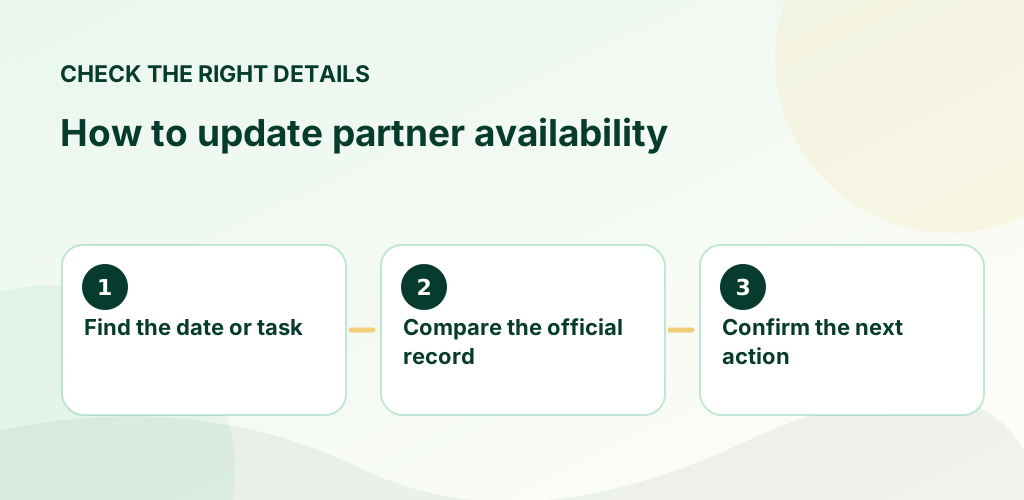
The goal is to avoid surprises: look at the actual published entry, confirm the relevant date and store, and keep a record of any approved change. A text message or conversation alone may not update the official schedule. If you have a question about a personal employee account, eligibility, time entry or workplace decision, rely on an employer-controlled record and support channel.
Choose the guide that matches your situation below. Each article gives a concrete example, common mistakes to avoid and official Starbucks references where available. These are informational guides, not a substitute for your store's current policy documents.
Class timetables can change midterm; a clear, realistic availability plan prevents overlapping commitments.
Read the guide →
Time-off planning goes more smoothly when you distinguish an availability preference from a formally submitted request.
Read the guide →
A specific, collaborative conversation is more useful than a vague request for additional hours or a sudden reduction.
Read the guide →