Scheduling
Starbucks Schedule Not Showing? What to Check First
An empty schedule screen does not automatically mean you have no shifts. Start by separating publishing delays, wrong week views and…
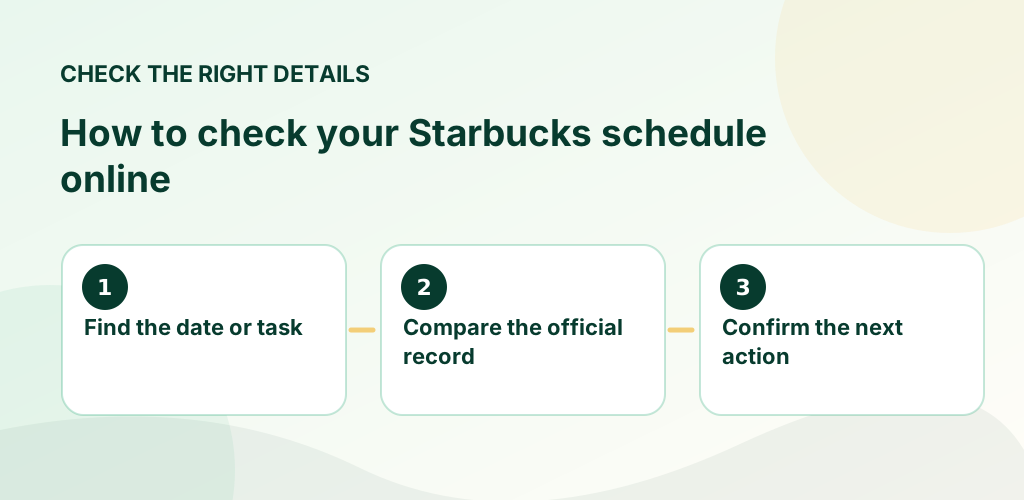
Read the guide →Your Starbucks partner schedule shows assigned work dates and shift times. Use the Starbucks-approved Partner Hours scheduling tool to see upcoming shifts; do not confuse the published schedule with your paycheck or timecard.
Quick answer: Your Starbucks partner schedule shows assigned work dates and shift times. Use the Starbucks-approved Partner Hours scheduling tool to see upcoming shifts; do not confuse the published schedule with your paycheck or timecard.
Independent guide: Not affiliated with Starbucks Corporation. Employee rules differ by role, market and store. Use the current Starbucks Partner Guide, manager or official employee portal for account-specific directions. Never enter credentials on this site.
Starbucks publicly states that its store-leader scheduling model sets schedules three weeks in advance, with adjustments possible for operational needs. A store’s day of publication and any later edits can vary. Read Starbucks’ published scheduling explanation.
Scheduled hours are the hours you are assigned in advance. Worked hours reflect clocked and approved time. Benefits hours may include defined paid leave under applicable plan rules. These totals can differ because of breaks, coverage, paid leave and payroll adjustments; review your official pay statement for paid hours.
Check the updated schedule, confirm with your manager and review local policy for notification. If you need coverage, submit a request in the approved scheduling tool and verify approval before treating the shift as reassigned.
Generally no. Ask your manager when the next week will be released.
Not necessarily. Confirm that your required approval is reflected in the final schedule.
For official, current policy decisions, use Starbucks’ own resources linked below. These sources do not imply that Starbucks sponsors or approves this website.
Read the related guide
Read the related guide
Read the related guide
Read the related guide
The goal is to avoid surprises: look at the actual published entry, confirm the relevant date and store, and keep a record of any approved change. A text message or conversation alone may not update the official schedule. If you have a question about a personal employee account, eligibility, time entry or workplace decision, rely on an employer-controlled record and support channel.
Choose the guide that matches your situation below. Each article gives a concrete example, common mistakes to avoid and official Starbucks references where available. These are informational guides, not a substitute for your store's current policy documents.
An empty schedule screen does not automatically mean you have no shifts. Start by separating publishing delays, wrong week views and…
Read the guide →
A changed shift should be verified in the official schedule rather than handled as a rumor. This guide explains how to document and…
Read the guide →
The phrase “three weeks in advance” appears in Starbucks’ public scheduling statements, but it requires careful interpretation.
Read the guide →